Hermes Desktop: a GUI bolted onto a CLI AI agent
I keep a soft spot for projects that admit what they are: a friendly face over something that was previously a terminal-only chore. Hermes Desktop (the repo is fathah/hermes-desktop) is exactly that — a community-maintained Electron app whose entire job is to install, configure, and let you chat with the Hermes Agent without living in your shell. As someone who spends the day in Drupal and the evenings poking at AI tooling, that pitch is catnip.
The one-liner from the README puts it plainly:
A community maintained native desktop app for installing, configuring, and chatting with Hermes Agent — a self-improving AI assistant with tool use, multi-platform messaging, and a closed learning loop.
Worth flagging up front: it appears to be an unofficial companion, not affiliated with the underlying Hermes Agent project. It just wraps the official install flow and stores everything under ~/.hermes.
What it actually does
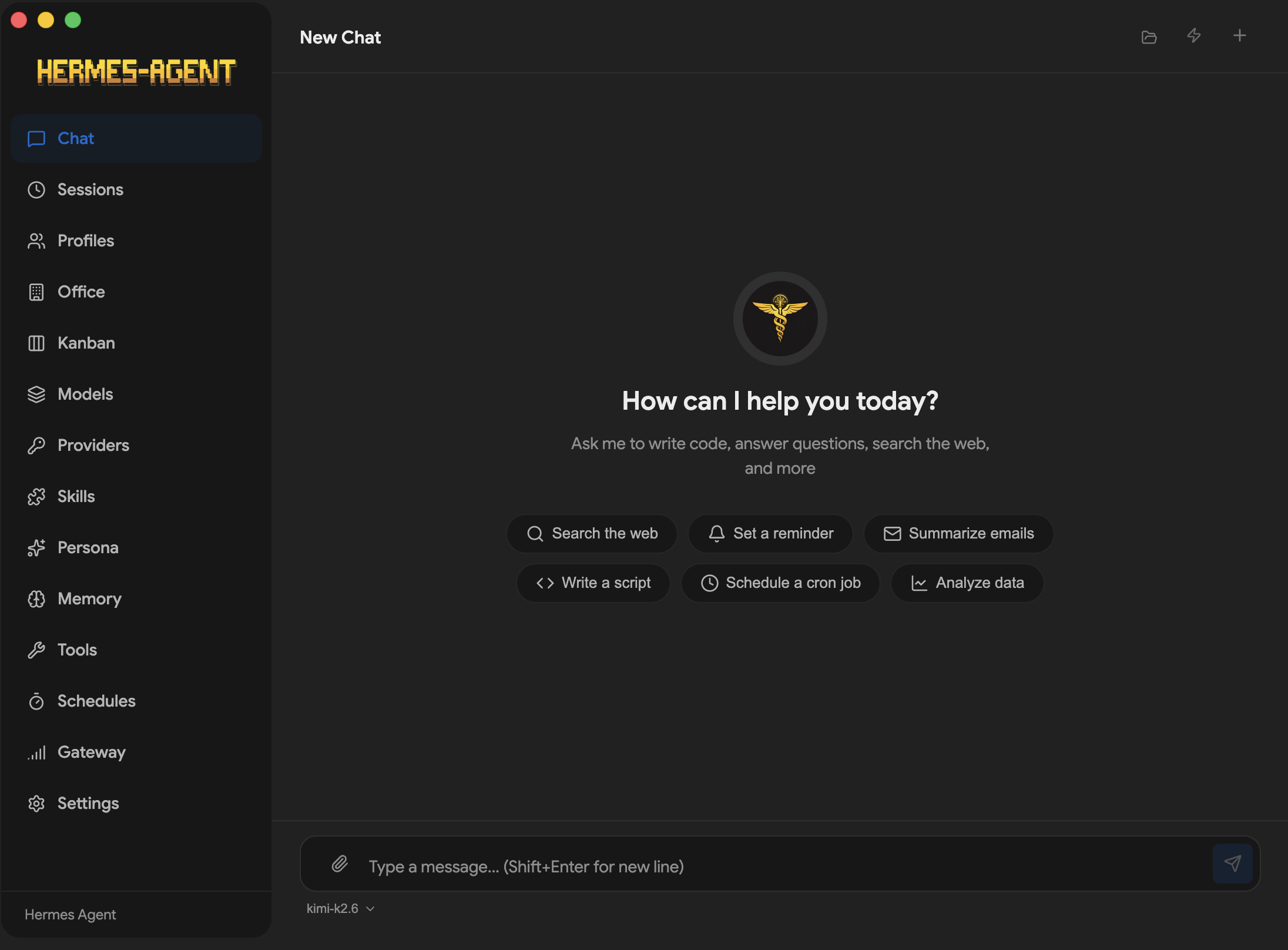
Under the hood it's an Electron + TypeScript app (Vite for the build, electron-builder for packaging, Vitest for tests). Nothing exotic, which I mean as a compliment. The value is in what it surfaces:
- Guided first-run install with dependency resolution — no copy-pasting setup commands.
- Multi-provider support: OpenRouter, Anthropic, OpenAI, Gemini, Grok, plus local endpoints (LM Studio, Ollama, vLLM, llama.cpp).
- A streaming chat UI over SSE, with markdown, syntax highlighting, and live token/cost tracking.
- 22 slash commands (
/new,/web,/shell,/image, and friends). - Full-text session search backed by SQLite FTS5, profile switching, a SOUL.md persona editor, cron scheduling, and 16 messaging gateways (Telegram, Discord, Slack, WhatsApp, Signal, Matrix, email, SMS...).
In local mode the chat traffic goes to http://127.0.0.1:8642 with SSE streaming; point it at a remote URL and it speaks the same protocol. That local-first default is the part I like most — you can run it against Ollama and never phone home.
Installing it
There are DMGs for macOS (arm64 and x64), a Windows installer, and an RPM for Fedora. The Linux path is the cleanest:
sudo dnf install ./hermes-desktop-<version>.rpmThe latest release at the time of writing is v0.7.3 (early July 2026), and the changelog moves fast — a Token Wallet, SSH tunnel improvements, and a Kanban restructure all landed recently.
The caveats I'd want a colleague to tell me
This is the honest bit. First: the builds are not code-signed. Windows SmartScreen will throw its "unrecognized app" wall, and the RPM isn't GPG-signed either. That's normal for a solo/community project, but it's friction you should expect rather than panic over.
Second, secrets. It supports a genuinely nice vault-agnostic "command" provider — KeePassXC, pass, GnuPG, Bitwarden CLI, 1Password CLI — but the default is a plaintext ~/.hermes/.env. If you wire up real API keys, change that before you forget it exists.
Third, it's young and busy. Hundreds of open issues, a v0.x version number, and features described as "subject to change." That's the price of the pace.
Would I run it?
For a curious evening, yes — the local-mode-plus-Ollama story makes it low-stakes to try, and the GUI genuinely removes the CLI grind that stops people from ever getting started. For anything touching production credentials I'd move off the plaintext .env first and keep an eye on the release cadence. It's a solid "face over a CLI" project doing the unglamorous work of making an agent approachable, and I respect that more than most flashier demos.